
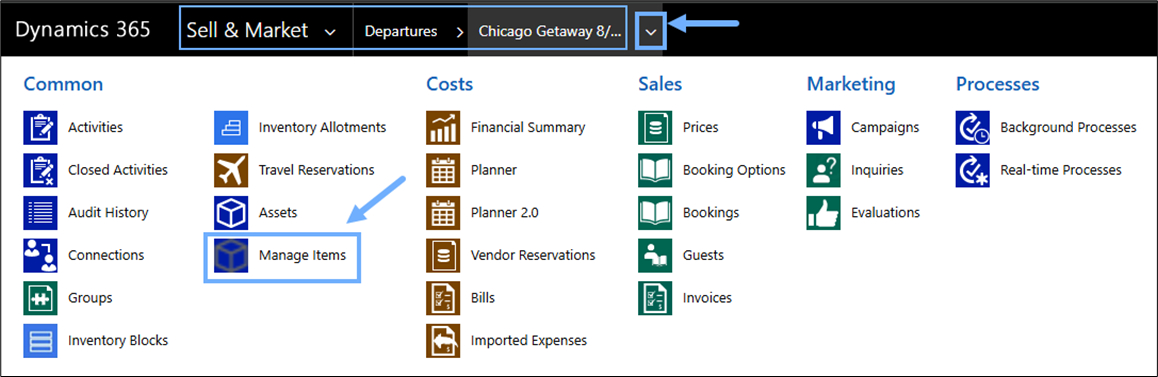
Users managing inventory can now access the Manage Items screen directly from the Departure breadcrumb—no need to open Planner 1.0 or Planner 2.0 first. This enhancement streamlines workflows and improves usability for trip planners.
What’s New
- A new Manage Items button has been added to the Departure breadcrumb.
- Users with the Professional Edition: Trip Planning role can access the Manage Items screen directly.
- If a user without the required permissions clicks the button, a standard error message will display: “You do not have the necessary role to access this page. Please contact your administrator to request access.”
Existing Behavior Maintained
- Access to Manage Items from Planner 1.0 and Planner 2.0 remains unchanged.
- The page functions as expected once opened, regardless of entry point.