Extra Person Rates are supported in Old Planner, and now Planner 2.0 supports Extra Person rates on new Costs or Vendor Services added to a Departure as well.
Vendor Services
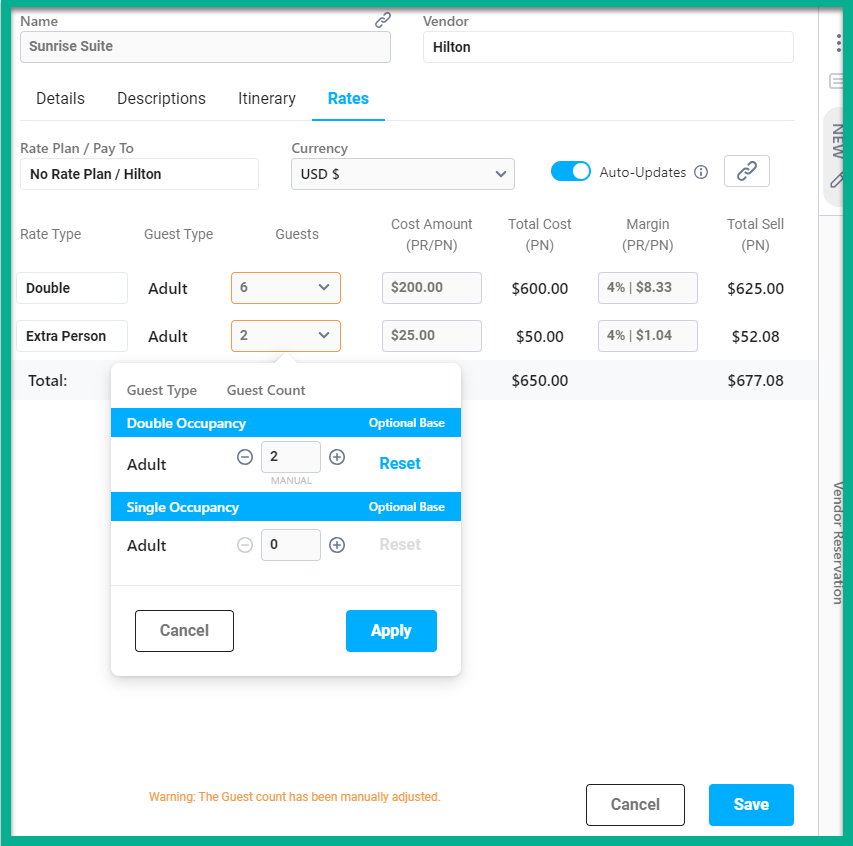
- Users can manually assign guest counts to Extra Person rates after dragging and dropping the service in the Planner. The system will not automatically assign guest counts to Extra Person rates.
- Adjust guest counts in the Guest field dropdown and assign the rate to the associated Price.
New Costs
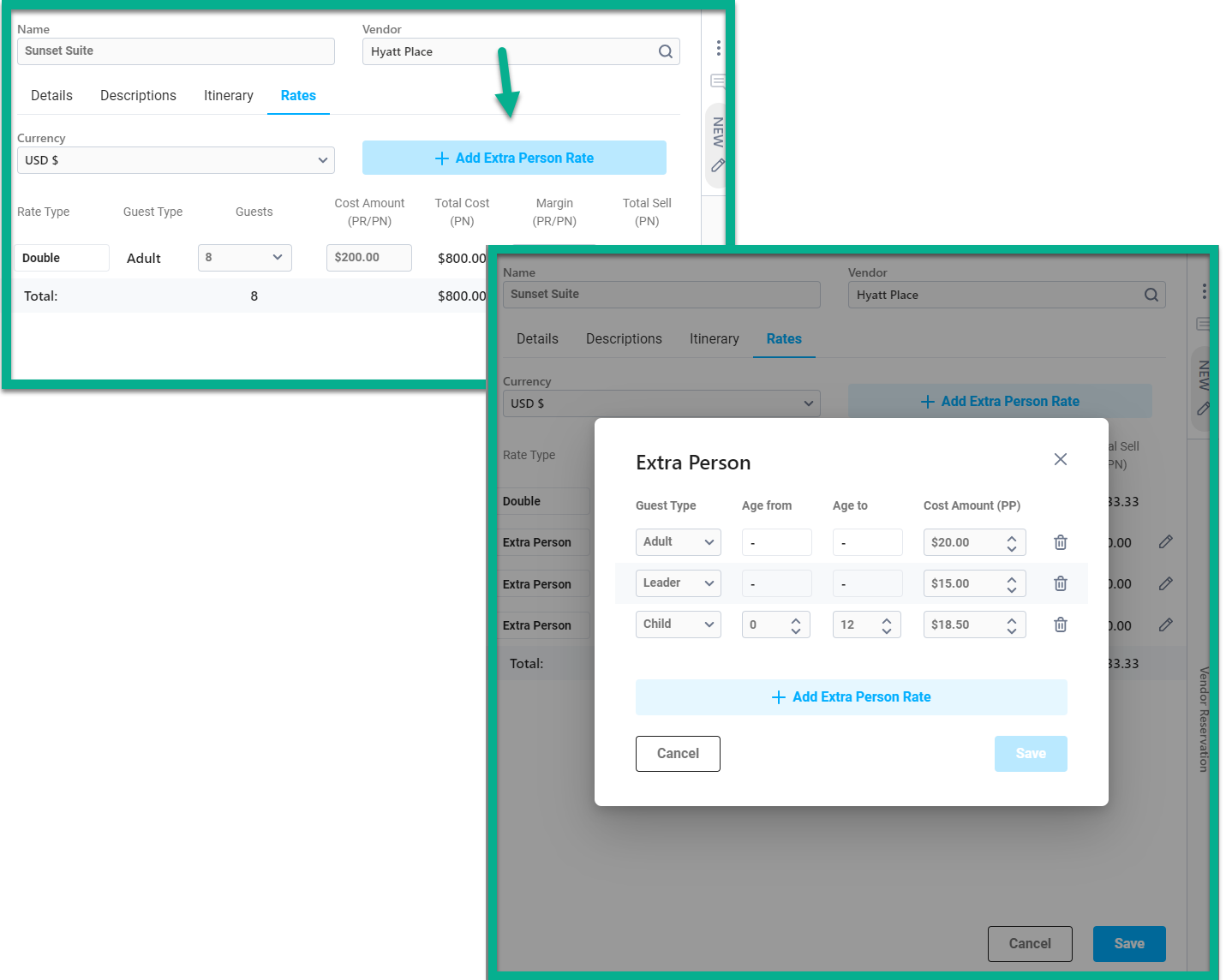
- A new +Add Extra Person Rate button is located on the Rates tab of the Cost Card. When clicked, a window opens for the user to add multiple Extra Person rates in one place.
- Once the rates have been created and saved, the Extra Person rates are available on the Rates tab and guest counts can be manually adjusted and associated to their corresponding Price.