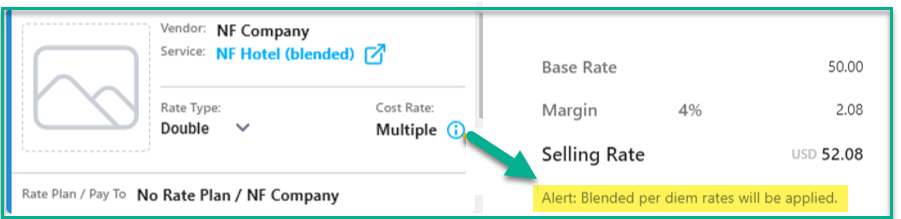
- Cost amounts will no longer be applied based on the Departure start date but instead will be applied based on the Cost duration (start and end date).
- Costs associated to a Vendor Service where the duration of the cost spans more than one vendor rate will now have a cost amount applied that is a calculated "blended rate".
Applicable to
|
Example
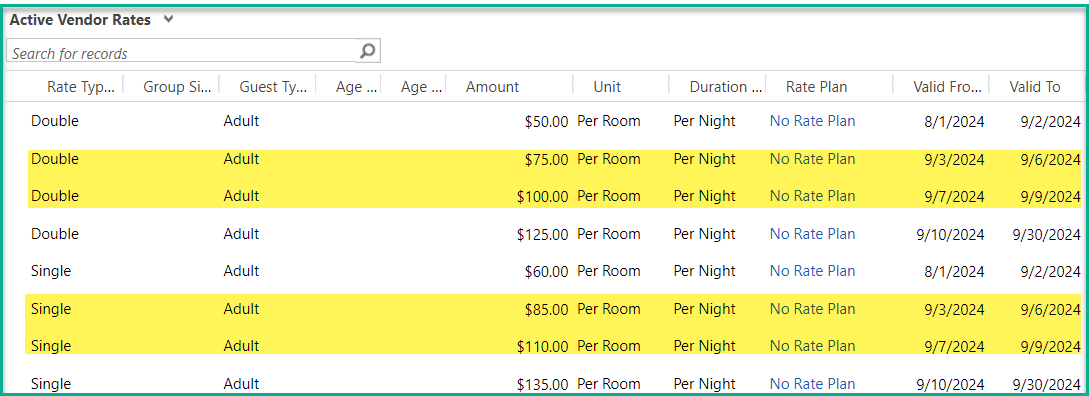
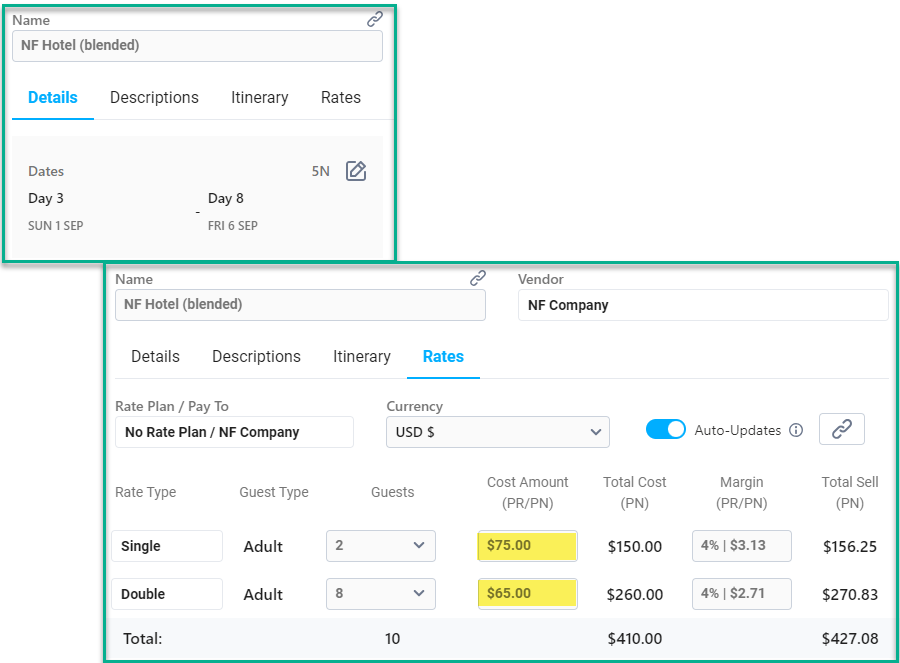
This cost starts on Sep 1 and ends on Sep 6. Vendor rates change on Sep 3.
- Double rate = (2 nights @ $50) + (3 nights @ $75) = $325
- $325 / 5 nights = $65 average nightly rate
- Single rate = (2 nights @ $60) + (3 nights @ $85) = $375
- $375 / 5 nights = $75 average nightly rate
Vendor Service:
Adding the Vendor Service to Planner 2.0:
Key notes regarding Blended Vendor Rates:
- An alert will display on the bottom of each tab in the Cost card when a blended rate has been applied.

- Changes to the Cost's start or end date will recalculate the cost amount.
- Changes to Vendor Rates that are pushed to the Departure via Push Updates will recalculate the cost amount.
- Turn OFF Auto-Updates on the Cost Card to prevent an automatic recalculation of rates.
- Editing the calculated cost amount is allowed. To restore the calculated rate, you must use Push Updates on the Vendor Service record.
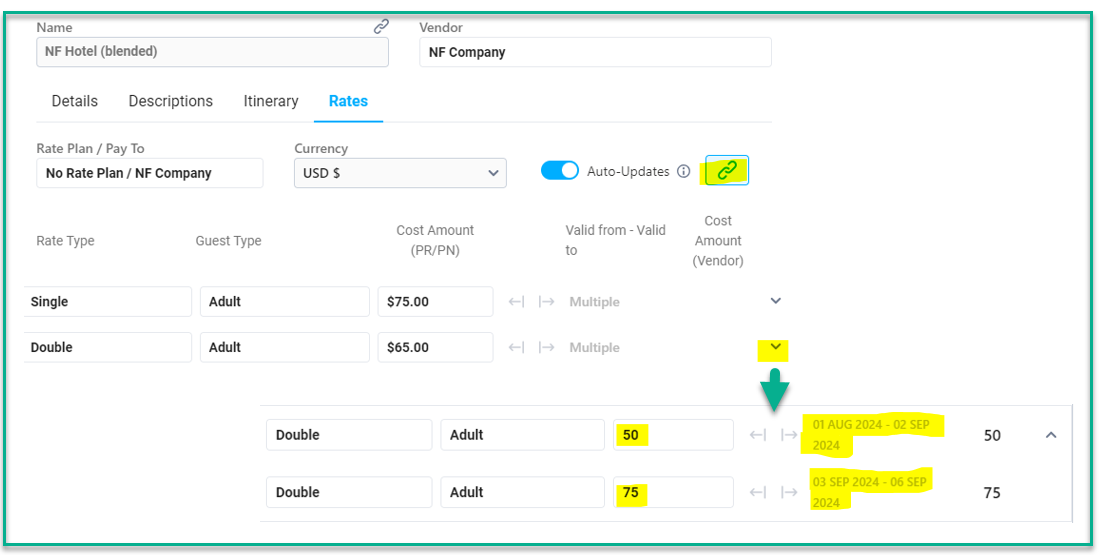
- On the Rates tab, you can view the specific vendor rates that have been applied by clicking the link icon.
- The Vendor Service card in the List of Services will display an alert if multiple vendor rates are applicable, based on the Departure start and end dates.