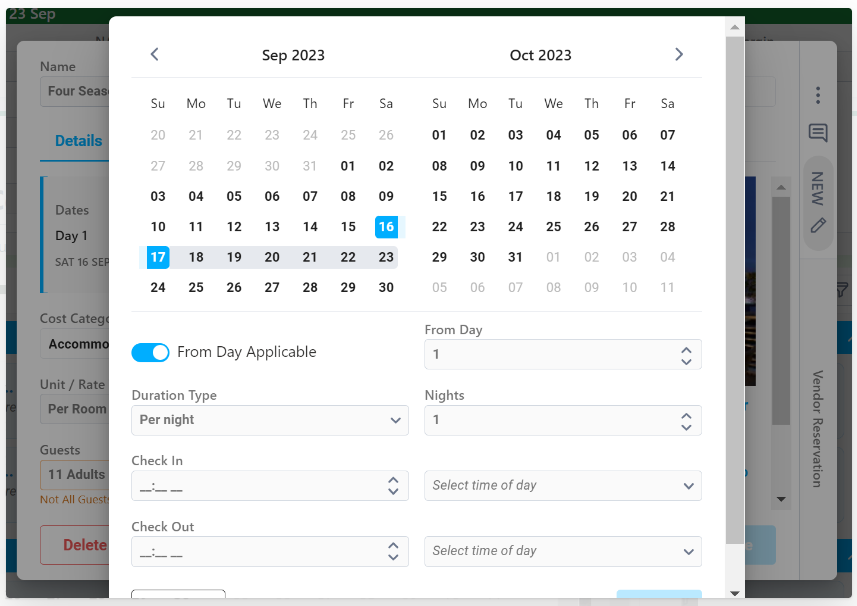
The redesign of the Cost card introduced additional changes needed or bugs to be resolved.
- Accommodation Costs were displaying the labels of Start Time and End instead of Check In and Check Out. This issue has been fixed.
- The duration (ie 2N) displayed on the Cost Details tab was being incorrectly updated when refreshing the browser. This issue has been fixed.
- The 'From Day Not Applicable' toggle for indicating the Cost is not tied to a specific day has been updated to allow a duration type and duration fields to be editable to ensure accurate budgeting.
- Example: A daily medical rescue insurance cost of $100 is not time dependent, but the Cost occurs for 3 days of the Departure. The user would toggle 'From Day Not Applicable', update duration type to per day, and input 3 for the number of days. The Cost Card would appear in the 'Other' section of the calendar and the Cost Rate = $100 with a Total Cost of $300.
- Example: A daily medical rescue insurance cost of $100 is not time dependent, but the Cost occurs for 3 days of the Departure. The user would toggle 'From Day Not Applicable', update duration type to per day, and input 3 for the number of days. The Cost Card would appear in the 'Other' section of the calendar and the Cost Rate = $100 with a Total Cost of $300.
- When a Cost is copied, the pop out to update From Day, Times, etc. will now automatically display.