If using the Vendor Services and Vendor Rates modules, you can now create Day‑of‑Week vendor rates in PEAK 15, giving you the flexibility to set up vendor pricing exactly as it’s provided — including rates that vary by specific days of the week.
Important Note
Although you can create these vendor rates starting with the January release, Planner 2.0 does not yet support day‑of‑week rates. Support for this will be added in an upcoming release.
- Planner 1.0 will not be updated to support this feature.
- Online Help documentation will be published once Planner 2.0 fully supports day‑of‑week rates.
What’s New
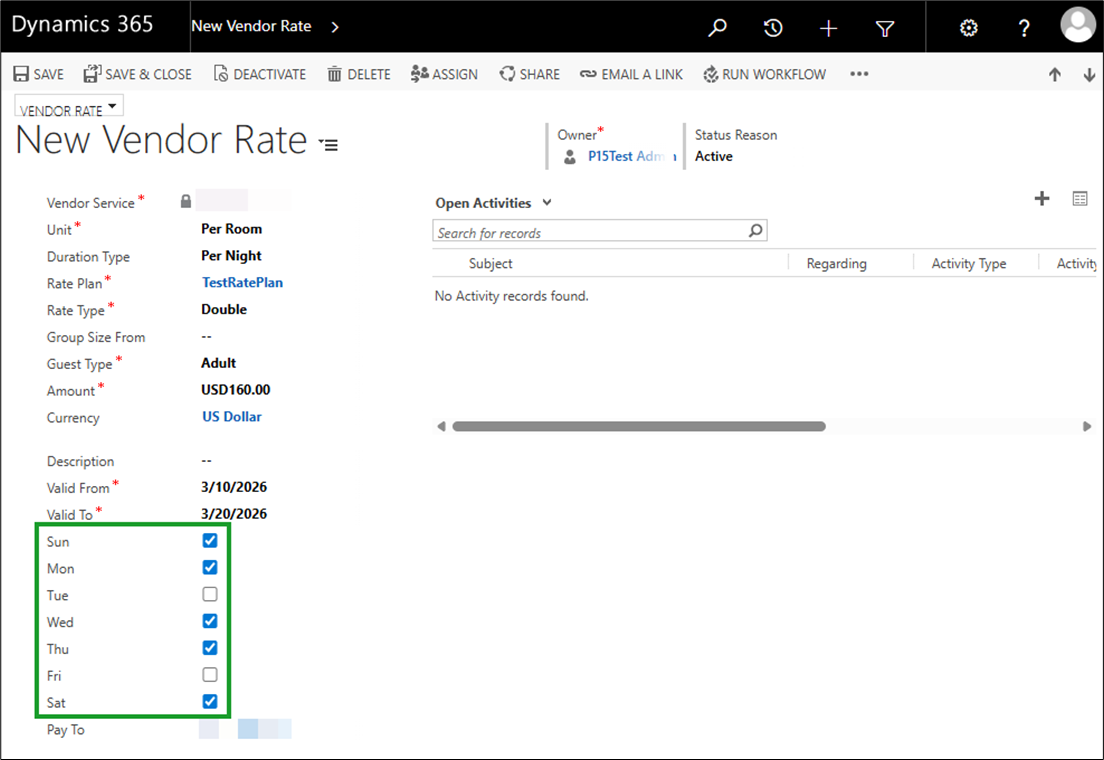
- Vendor rate records can now include day‑of‑week values, allowing you to model pricing such as weekday vs. weekend rates.
- Importing vendor rates that include day‑of‑week values is fully supported.
- The system prevents overlapping vendor rates with identical date ranges and identical day‑of‑week selections, ensuring clean, conflict‑free data.
How It Works
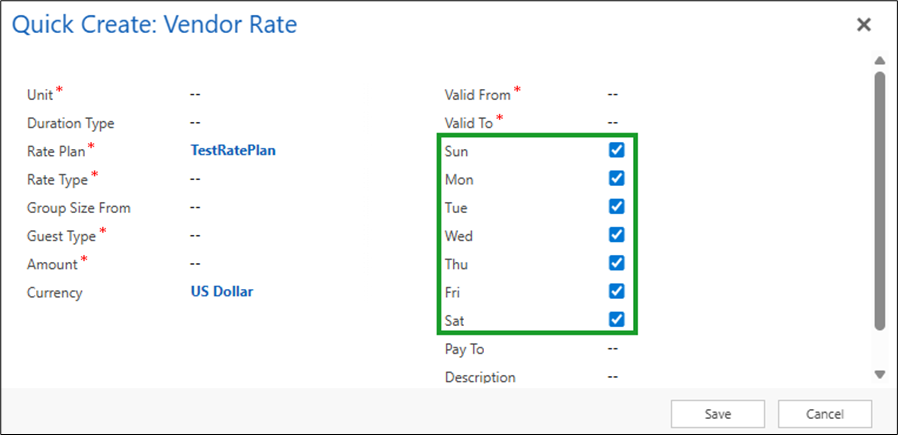
- Select the + icon above the Vendor Rate i‑frame.
- In the Quick Create Vendor Rate form, enter the usual details (unit, duration type, etc.).
- All seven days of the week appear checked by default.
- Leave all days selected if the rate applies every day.
- Uncheck the days that don’t apply when creating weekday/weekend or other day‑specific rates.
- If your vendor has different rates for different sets of days (for example, Mon–Thu vs. Fri–Sun), create one vendor rate record for each set of applicable days.