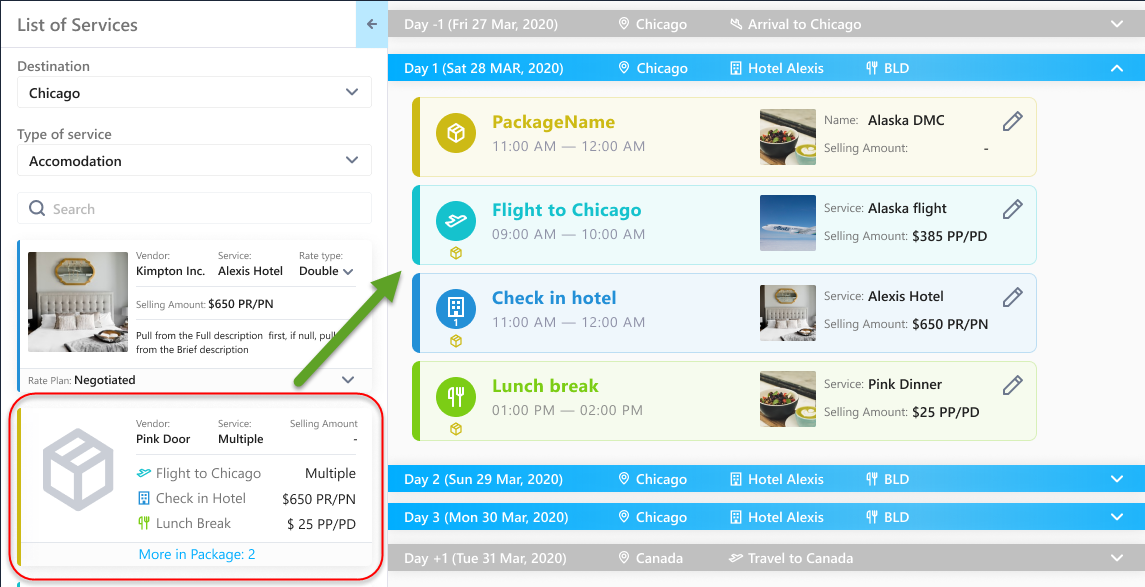
With this release, you will now have the ability to add vendor service packages and their associated vendor services to the new planner with a single drag-and-drop of the vendor service package into the planner's calendar.
- A package icon indicates what costs are part of a package.
- Vendor services within the package act like stand alone costs after adding the package to the calendar.
- A package itself can have rates or the items within the package can contain individual rates.
- When the package itself has rates, those rates are pulled into the planner. Rates associated to any of the package's items are not pulled into the planner when the individual costs are created.
- When the package does not have rates, the rates associated to the package items are pulled into the planner.
Example of Package with Rates:
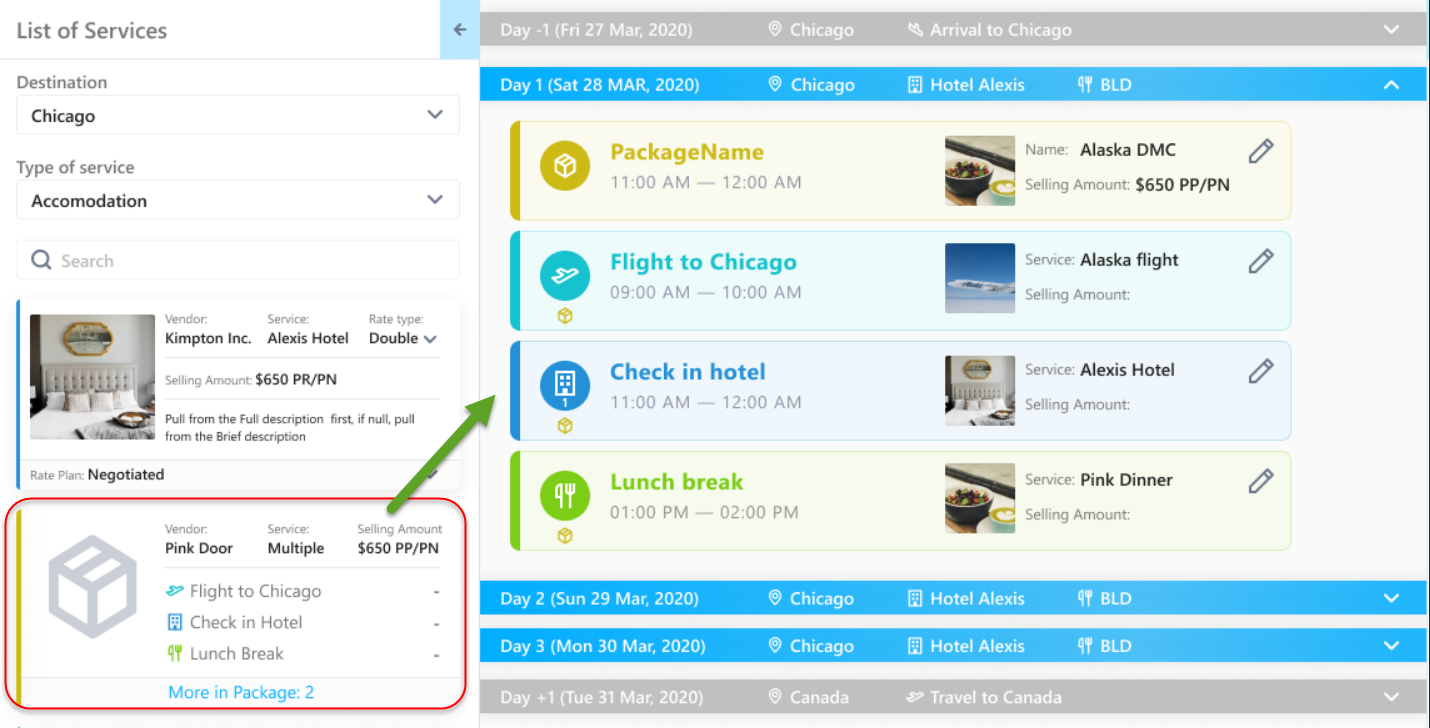
Example of Package without Rates: